

How to share meeting notes with your team after a meeting
Meeting notes only help when the right people read them while the meeting is still fresh. This guide shows what to send, who should get it, which format to use, and how to do it in a few minutes.
Updated October 2026
Share meeting notes the same day, in a short message that opens with the decisions and then lists each action item with one owner and a date. Attach or paste the full note below for anyone who wants detail. Send attendees the whole recap, and give absent teammates, managers and clients a shorter version written for them.
The routine that works with any tool
You can do this with a notebook and a mail app. The order of the steps matters more than the tool, because most shared notes fail for one of two reasons: they arrive too late, or they are too long to read.
Send the notes on the day of the meeting. People still remember what was said, so they can catch a wrong date or a missing task. An action item that arrives three days later often starts three days late.
- 1Decide who sends the notes before the meeting ends. One person owns the job. If nobody is named, everybody waits for somebody else.
- 2Write down the decisions first. A decision is one finished sentence with a number, a name or a date in it.
- 3List the action items. Each one needs a task that starts with a verb, one person who owns it, and a calendar date.
- 4Check the names, numbers and dates. These are the details people act on, and they are the easiest to get wrong.
- 5Pick the readers. Attendees get the full recap. Other people get a shorter version. The first table below shows the split.
- 6Pick the format. Put the short version in the message itself and attach the long version. The second table below helps you choose.
- 7Send it, and ask for corrections. Give people a day or two to reply if something is wrong. After that, the note is the agreed record.
- 8Store it where the team can find it later. Use one shared folder or one thread per project, with the meeting name and date in the title.
Noter AI records, transcribes and summarizes your meetings on iPhone, iPad & Android, in 60+ languages.
What to include in shared meeting notes
A shared note is a short record for busy readers. Keep the parts that change what people do this week, and leave the full discussion in the attachment.
If you want a ready layout for the message itself, use the meeting recap email template. For a formal meeting that needs motions or sign-off, the meeting minutes template is the better fit.
- Meeting name and date, in the subject or the first line, so the note is easy to search for later.
- Decisions, each written as a result. Skip the debate that led to it.
- Action items with an owner and a date each. If a task has no owner yet, say who will assign it.
- Open questions, with the name of the person who will get the answer.
- The full note, as an attachment or pasted below the short version, for readers who want the detail.
- The next meeting date, if there is one.
Who gets what
Sending the same long note to everyone is the fastest way to get it ignored. Each group of readers asks a different question, so each group needs a different cut of the same note.
| Reader | Their question | What to send | What to leave out |
|---|---|---|---|
| Attendees | Did I hear that right, and what do I owe? | Decisions, all action items, open questions, the full note attached | A replay of the discussion in the message body |
| Absent teammates | What changed while I was away? | Decisions with one line of reason each, plus their own tasks at the top | Tasks that belong to other people, unless they block this reader |
| Managers | Is anything off track, and do you need me? | Three to five lines: decisions, risks, and anything that needs their approval | The task list, unless they ask for it |
| Clients | What did we agree, and what do you need from us? | Agreed points on scope, price and dates, with tasks split into your side and their side | Internal comments, costs, and anything about other clients |
Which format for which reader
The format decides how much effort the reader needs to open the note. A message they can read on a phone gets read. A file they must download gets saved for later.
A common setup is two layers: a short recap in the message, and the full note as a file. Chat apps and task tools differ in how they handle pasted formatting, so paste once as a test before you rely on it.
| Format | Best for | Can the reader edit it? | Watch out for |
|---|---|---|---|
| Email body | The short recap that everyone should read | They can reply with corrections | Long emails get skimmed, so keep the detail in an attachment |
| A final record, a client copy, anything that should look the same on every device | No | Hard to correct after it is sent, so check it first | |
| Word document | A draft that someone else will edit or comment on | Yes | Several edited copies can appear, so name one person who keeps the final version |
| Plain text | Tools that do not accept formatting, and readers on slow connections | Yes | Headings and bold are lost, so use short lines and clear labels |
| Pasted into a chat or task tool | Fast team updates, and turning action items into tasks | Depends on the tool | A chat post scrolls away, so keep a file copy too |
Common problems and fixes
Most teams hit the same few problems. Each one has a simple fix that takes less time than the problem costs.
| Problem | Why it happens | Fix |
|---|---|---|
| Nobody reads the notes | The message is long and the result is buried at the bottom | Open with the decisions and tasks. Move everything else to the attachment. |
| Action items have no owner | The task was agreed by the room, so nobody felt it was theirs | Before the meeting ends, read each task aloud and ask who takes it. In the note, write one name per task. |
| Tasks have no date | People said "soon" or "next week" during the meeting | Write a calendar date. If nobody can give one, move the item to open questions. |
| Sensitive content reached too many people | The full note went to a large list or a public channel | Send the full note only to attendees. Write a separate short version for everyone else and remove salaries, personal matters and client details. |
| People disagree later about what was decided | The note recorded the discussion and missed the result | Write each decision as one sentence and ask for corrections within a day or two. |
| A teammate reads another language | The note exists in one language only | Send a translated copy with the original, so they can check any line that looks odd. |
How Noter AI does it
Noter AI is an app for iPhone, iPad and Android that records a meeting and writes the note for you. You record in the room on your phone, or you send a bot to a Zoom, Microsoft Teams, Google Meet or Webex call. Every note comes with a summary, a detailed analysis and action items with assignees. A 1-hour recording takes about 2 minutes to process, so a same-day recap is realistic.
Sharing works through files and text. The full list of options is on the export and sharing page. You can get the app on the App Store or on Google Play.
- 1Open the note after the meeting has been processed.
- 2Choose an output style. There are six: minutes of meeting, key bullet points, email, to-do list, formal report, and a custom instruction in your own words. The email style writes the note as a message you can send.
- 3Fix what is wrong. You can edit the summary and rename the speakers. To check a detail, tap a line in the transcript and the audio plays from that moment.
- 4Run a second style if you need two versions. The same recording can go through more than one style, for example an email for the team and minutes for the client.
- 5Send it out. Export as PDF, Word (.docx) or plain text. You can also copy the note with rich formatting, or open the system share sheet and pick your mail or chat app.
- 6Translate for teammates who read another language. The transcript translates into 46 languages and keeps the speaker labels and timestamps. The summary can also be written in a language you choose. See how to translate meeting notes.
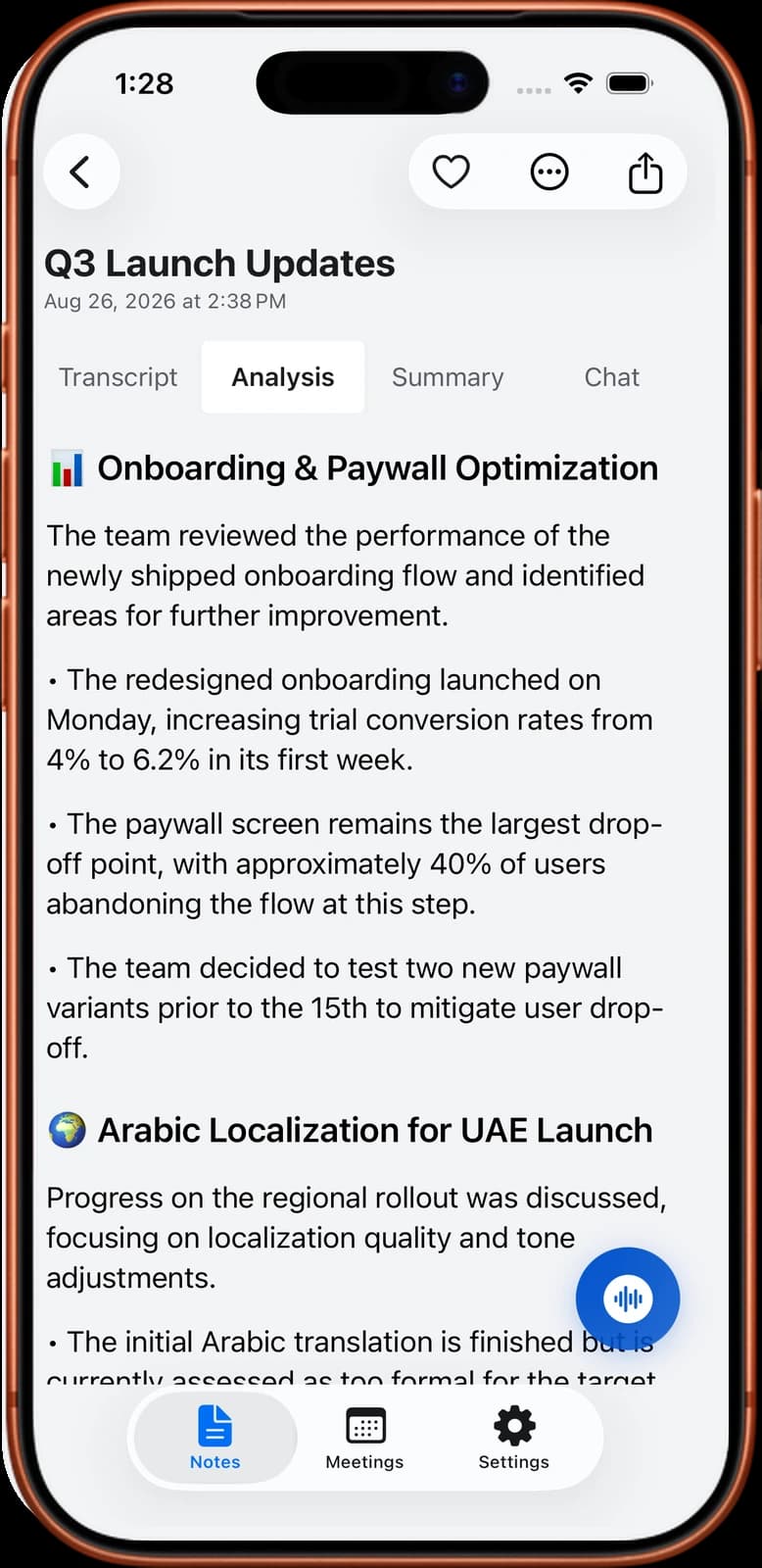
Sample output: a recap email
This is an invented example. It shows the kind of short recap you could send to attendees after a 30-minute planning meeting, with the full note attached as a PDF. The names and details are made up.
Hi all, here is a short recap of today's meeting. The full note is attached as a PDF.
Decisions
1. The new website goes live on Monday 9 November.
2. The blog moves to the new design in a second phase, in December.
3. We keep the current pricing page text for launch.
Action items
Sara: send the final page list to the designer by Thursday 15 October.
Omar: move the contact form to the new site and test it by Tuesday 20 October.
Lina: write the launch email and share a draft by Friday 23 October.
Open question
Who approves the final homepage photo? Omar will ask and reply by Friday 16 October.
Next meeting: Tuesday 27 October, 10:00.
If anything here is wrong, please reply by tomorrow evening.
Privacy, consent and the limits of Noter AI
A shared note can travel further than the meeting did. Before you send one, think about who was in the room and who will read it. If the meeting was recorded, the people in it should have been told. You are responsible for telling them, and the rules differ from place to place. Our guide to meeting recording laws by country is a starting point.
A note written by AI is a draft until a person has read it. Check names, numbers and owners before it leaves your phone, because a wrong owner on an action item causes real confusion.
Noter AI also has clear limits for team sharing, and it is better to know them before you plan around it.
- No shared workspace or team accounts. Each person has their own notes in their own app.
- No link that other people open. You share a file or text, and the reader gets a copy.
- No connection to chat or task tools. You paste the text or use the share sheet yourself, one note at a time.
- It does not send the email for you. It writes the text, and you send it from your own mail app.
- No web or desktop app. You export from your iPhone, iPad or Android device.
- A copy is a copy. If you fix the note after sending it, send the new version again.
Frequently asked questions
When should I send meeting notes?
On the same day as the meeting. People can still correct mistakes from memory, and tasks start on time. If you cannot finish the full note that day, send the decisions and action items first and the rest later.
Who should send the notes after a meeting?
One named person, chosen before the meeting ends. It is often the organiser or the person who took the notes. In a recurring meeting, the job can rotate, as long as everyone knows whose turn it is.
Should I paste the notes into the email or attach a file?
Do both when the note is long. Put the decisions and action items in the message so everyone sees them without opening anything. Attach the full note for readers who want the detail or need to keep a record.
How do I share notes with people who were not in the meeting?
Write a shorter version for them. Add one line of background, list the decisions, and put their own tasks first. Remove anything that was meant only for the people in the room.
Is it better to share meeting notes by email or in a team chat?
Email works better for a record that people must find again in a few weeks, and for clients. A team chat is faster for a quick update inside the team. Many teams post the short version in chat and keep the full note as a file.
Can I send the full transcript to the team?
You can, but few people will read it. Send the summary and keep the transcript for the person who asks. A transcript also holds everything that was said, so check it for sensitive content before you share it widely.
Can my teammates open my notes inside Noter AI?
No. Noter AI has no shared workspace and no team accounts. You export the note as a PDF, a Word file or plain text, or you copy it or use the share sheet, and your teammates read that copy.
What if a teammate does not read the language of the meeting?
Send them a translated copy together with the original. In Noter AI the transcript translates into 46 languages with speaker labels and timestamps kept, and the summary can be written in a language you choose.
Let Noter AI take your meeting notes
Record, transcribe, and summarize meetings on iPhone, iPad & Android, or send a bot to Zoom, Teams, Meet, or Webex. In 60+ languages.

On your computer? Scan with your phone to get the app.
