

Download Noter AI for iPhone, iPad and Android
Noter AI is on the App Store for iPhone and iPad, and on Google Play for Android. It is free to download, and you can make your first note in about five minutes. The links are below, followed by the steps for a first recording.
Updated October 2026
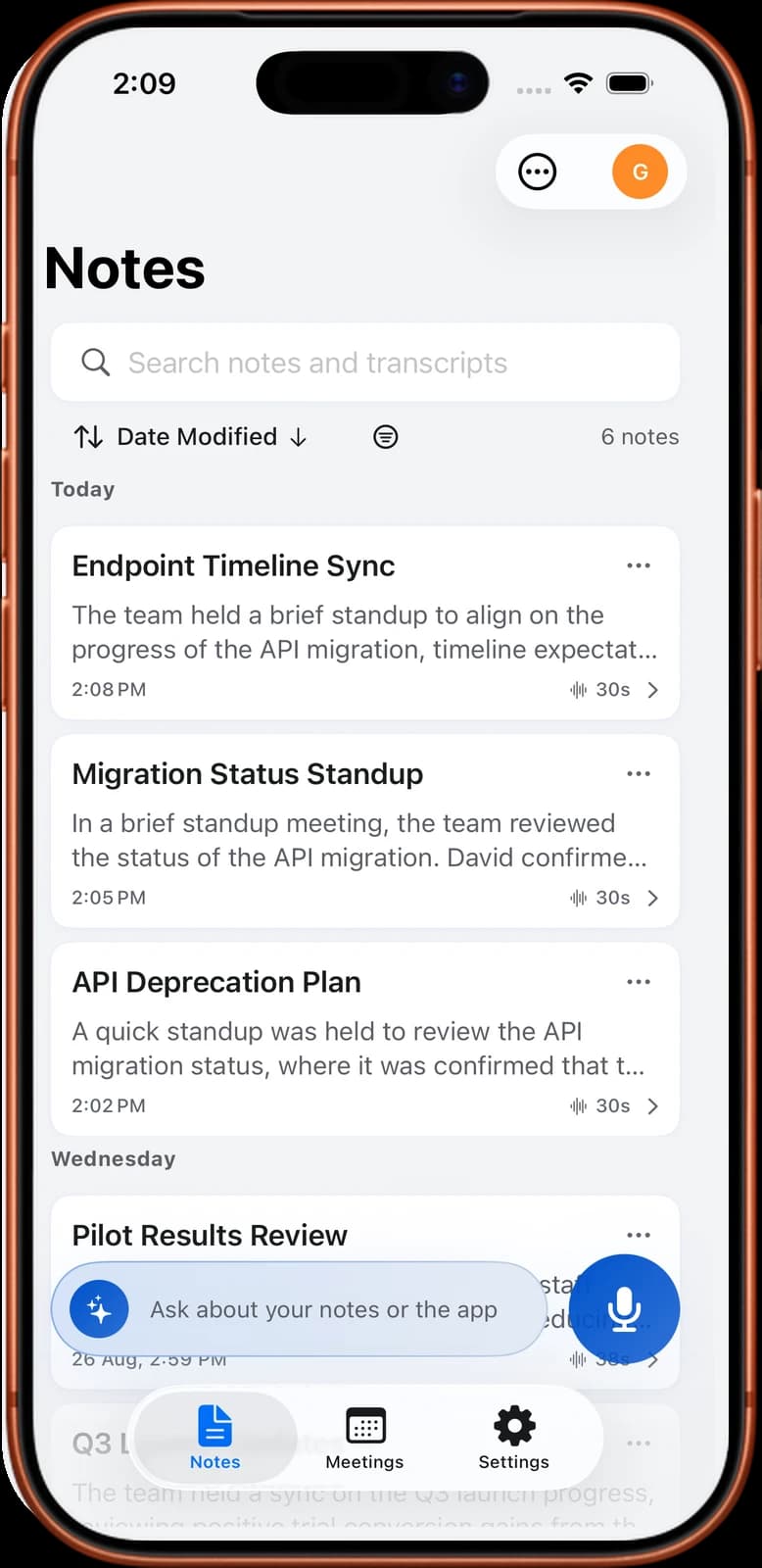
Your first note
Get the app
Pick your device. Each link opens the store page for Noter AI.
| Device | Store | Link |
|---|---|---|
| iPhone | App Store | Download for iPhone |
| iPad | App Store | Download for iPad |
| Android phone or tablet | Google Play | Download for Android |
- iPhone and iPad use the same App Store listing. On iPad the app has a layout made for the larger screen.
- Rated 4.8 out of 5 on the App Store, with 100K+ users.
Noter AI records, transcribes and summarizes your meetings on iPhone, iPad & Android, in 60+ languages.
Your first note in five minutes
The fastest way to judge the app is to give it a real conversation. A test where you count to ten tells you very little.
- 1Install the app from the App Store or Google Play using the links above.
- 2Sign in. Sign in with Apple is supported.
- 3Capture something real. Tap record and let it run for five minutes of an actual conversation, such as a team check-in or a talk with a colleague. If you have a video call coming up, paste the meeting link instead and the bot joins the call for you.
- 4Read the result. When processing ends, open the note. You get a transcript with speaker labels and timestamps, a summary, a detailed analysis and action items.
- Tell people first. You are responsible for telling others that you are recording. The rules are different in each country. See recording laws by country.
- You do not pick a language. The app detects it automatically, in 60+ languages.
- Longer recordings take longer. A one-hour recording needs about two minutes of processing, so a five-minute test is quick.
What you need
- A supported device: an iPhone, an iPad, or an Android phone or tablet.
- An internet connection. Transcripts and summaries are processed in the cloud, so the app needs to be online to turn a recording into a note.
- A meeting link, if you want the bot. The bot joins Zoom, Microsoft Teams, Google Meet and Webex. Nothing is installed inside those apps.
On a computer?
Noter AI has no web app and no desktop app. There is no Mac or Windows version, and you cannot sign in from a browser.
If you are reading this page on a computer, scroll to the bottom. The QR codes there open the App Store or Google Play on your phone. Point your phone camera at the right code and tap the link that appears.
You can still use Noter AI for meetings you take on a laptop. Paste the meeting link into the app on your phone and the bot joins the video call as a guest. You stay on the call on your computer, and the note appears on your phone when the meeting ends. When you need the notes on the computer, export them as PDF, Word or plain text.
After you install
Four things are worth a look once your first note works.
- Send the bot to a video call. How the meeting bot works, including what a host can block.
- Record a meeting in the room. In-person recording covers the locked screen, the three-hour length and audio import.
- Connect your calendar. With Google Calendar or Outlook connected, upcoming meetings with a link are listed and you send the bot in one tap.
- Check the price. The pricing page lists the weekly, monthly and yearly options and what each includes.
Frequently asked questions
Is Noter AI free to download?
Yes. The download is free on both stores, and there is a free plan for trying the app. The paid plan costs $11.99 a month or $89.99 a year, and it starts with a free trial.
Is there a Mac, Windows or web version?
No. Noter AI runs on iPhone, iPad and Android only. For meetings on your computer, send the bot from the app on your phone and read the note there afterwards.
Does it work on iPad and Android tablets?
Yes. The iPad version comes from the same App Store listing as the iPhone version and has its own layout for the larger screen. On Android, install it from Google Play on a phone or a tablet.
How long until my first note is ready?
A few minutes in total. Installing and signing in is quick, and processing is fast: a one-hour recording takes about two minutes, so a five-minute test recording is ready sooner than that.
Can I keep recording with the screen locked?
Yes. A recording keeps running when the screen is locked and when the app is in the background. One recording can last up to three hours.
Where do my recordings go after I record?
They are stored on Google Cloud, encrypted in transit and at rest. They are not used to train AI models. The guide on where meeting recordings are stored has more detail.
Let Noter AI take your meeting notes
Record, transcribe, and summarize meetings on iPhone, iPad & Android, or send a bot to Zoom, Teams, Meet, or Webex. In 60+ languages.

On your computer? Scan with your phone to get the app.
