

How to summarize a meeting
A meeting summary tells people what was decided and what happens next, so they do not need to replay the whole meeting. This guide shows how to write one by hand, how long it should be, and how an AI app can write the first draft for you.
Updated October 2026
To summarize a meeting, write down the decisions, the action items with an owner and a date, the open questions, and one or two lines of context. Leave out the discussion that led there. Keep it short enough to read in two minutes, and send it the same day while people still remember the meeting.
How to summarize a meeting by hand
This method works with a notebook, a document, or any transcript. It takes about ten minutes for a one-hour meeting if you start right after the meeting ends.
- 1Write the purpose in one line. Say why the meeting happened. Example: "Agree on the launch date for the new pricing page."
- 2Mark the moments that matter. Go through your notes or the transcript once. Mark every place where the group agreed on something, gave someone a task, or left a question open. Skip the rest.
- 3List the decisions first. Write each decision as one full sentence that makes sense alone. "Launch moves to 3 November" is clear. "Agreed on the date" is too vague.
- 4Write each action item with an owner and a date. Use one line per task: what, who, by when. If the meeting did not name an owner or a date, write "owner needed" or "date needed" so the gap is visible.
- 5List the open questions. These are topics the group raised and did not close. Add who will answer each one, if you know.
- 6Add two lines of context. Give the reason behind the main decision, for readers who were not in the room.
- 7Cut and check. Remove anything a reader would not act on. Then check names, numbers and dates against your notes.
- 8Send it the same day. Put the decisions and action items at the top of the message. Ask people to reply if something is wrong.
Noter AI records, transcribes and summarizes your meetings on iPhone, iPad & Android, in 60+ languages.
What a good meeting summary contains
A good summary has four parts. Each one answers a question the reader will ask. If a part is empty, say so. "No decisions were made" is useful information.
| Part | Question it answers | How to write it | Example |
|---|---|---|---|
| Decisions | What did we agree on? | One full sentence per decision | The launch moves from 20 October to 3 November. |
| Action items | Who does what, by when? | Task, owner, date on one line | Omar: send the final price list by 16 October. |
| Open questions | What is still not settled? | The question, plus who will answer it | Do we keep the weekly plan? Lina to check the numbers. |
| Context | Why did we decide this? | One or two lines, no story | The legal review needs two more weeks. |
How long should a meeting summary be?
The length depends on how many decisions were made, more than on how long people talked. The table below is a practical starting point. A long meeting with one decision still needs a short summary.
| Meeting length | Summary length | What to include |
|---|---|---|
| Up to 15 minutes | 3 to 5 lines | The decision and the next step |
| 30 minutes | About half a page | Decisions, action items, one line of context |
| 60 minutes | Up to one page | All four parts, grouped by topic |
| 90 minutes to 2 hours | One to two pages | A short overview at the top, then a block per topic |
| More than 2 hours | A half-page overview plus a block per agenda item | Decisions and action items first, details below for those who need them |
Summary formats and when to use each
The same meeting can be written up in different ways. Pick the format by who will read it and what they will do with it. If you need a starting layout, use the meeting minutes template or the meeting recap email template.
| Format | Best for | Typical length | Skip it when |
|---|---|---|---|
| Key bullet points | A quick update for your own team | 5 to 10 bullets | The reader was not in the meeting and needs context |
| Minutes of meeting | Boards, committees, recurring meetings that need a record | One to two pages | It was a short, informal chat |
| Email recap | Clients and people outside the team | A short email with 3 to 6 points | You need a formal record with attendees and votes |
| To-do list | Working sessions where the result is a list of tasks | One line per task | The meeting ended with decisions and no tasks |
| Formal report | Management, audits, project files | Two pages or more | People need to act today and will not read a long document |
Common problems and fixes
Most weak summaries fail in the same few ways. Here is what goes wrong and what to do about it.
| Problem | Why it happens | Fix |
|---|---|---|
| The meeting was very long | Two hours of talk does not fit on one page | Summarize each agenda item separately, then write a five-line overview on top |
| A task has no owner | People said "we should" and nobody took it | Write "owner needed" next to the task and ask in the recap message |
| A task has no date | The group agreed on the work and skipped the deadline | Suggest a date in the summary and ask the owner to confirm it |
| People spoke two languages | Notes end up half in one language, half in the other | Choose one language for the summary and keep names and product terms as spoken |
| The summary reads like a transcript | The writer followed the order of the talk | Reorder by importance: decisions, tasks, questions, context |
| Numbers or names are wrong | They were written from memory | Check each one against the recording or transcript before you send |
How Noter AI does it
Noter AI is an app for iPhone, iPad and Android that writes the summary from the recording. It needs about 2 minutes to process a 1-hour recording. Every note gets a summary, a detailed analysis and action items with assignees, without any setup. The full list of options is on the AI summaries page.
You can get it on the App Store or on Google Play.
- 1Capture the meeting. Record on your phone or tablet in the room, send the bot to a Zoom, Microsoft Teams, Google Meet or Webex call, or import an audio file you already have.
- 2Open the note. It holds the summary, the detailed analysis and the action items with assignees, next to the full transcript with speaker labels and timestamps.
- 3Pick an output style if you need a different format. There are six: minutes of meeting, key bullet points, email, to-do list, formal report, and a custom instruction where you describe the format in your own words. You can run the same recording through more than one style.
- 4Choose the language. The summary comes in the language of the meeting, or in a language you choose.
- 5Edit the summary. Fix a name, add a missing date, or remove a point before you share it.
- 6Share it. Export as PDF, Word or plain text, or copy it with formatting into an email. See export and sharing.
Sample output
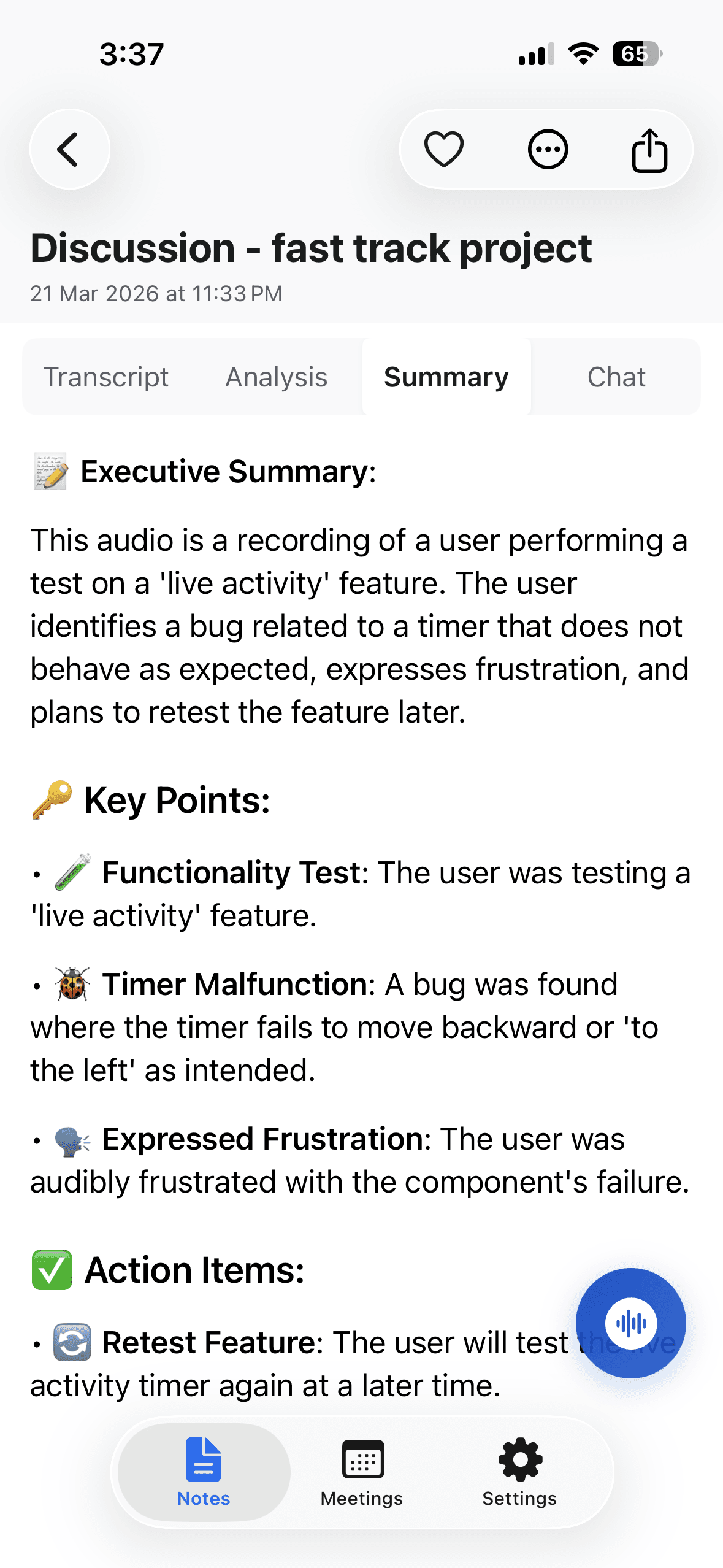
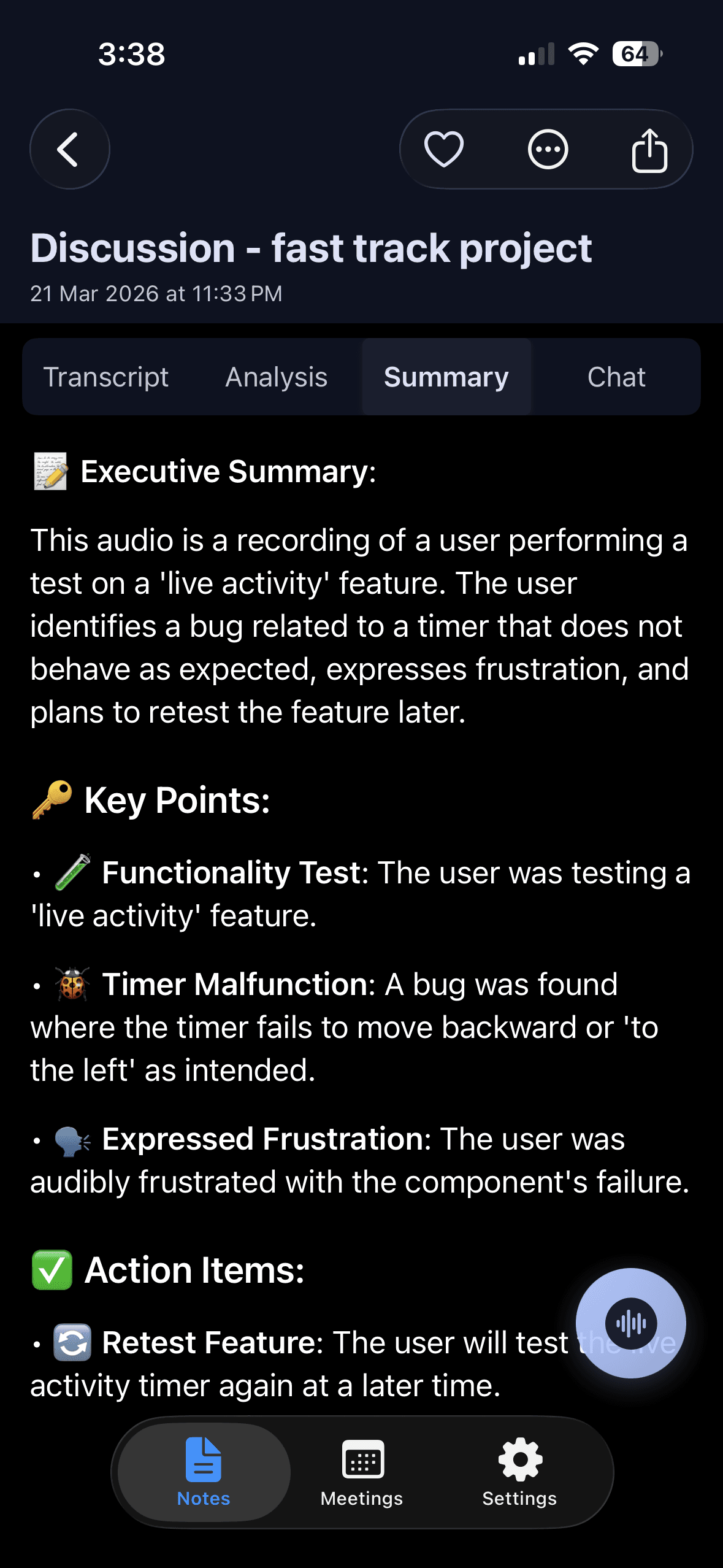
The card below is an invented example. It shows what a short summary with decisions and action items looks like for a 40-minute planning meeting with three people.
Purpose: agree on the launch date and the last open tasks for the new pricing page.
Decision 1: the launch moves from 20 October to 3 November.
Decision 2: the page will show monthly and yearly prices only.
Decision 3: Arabic and English versions go live on the same day.
Action: Omar sends the final price list to design by 16 October.
Action: Lina finishes the Arabic translation by 24 October.
Action: Sara books the legal review and confirms the date by 17 October.
Action: update the help articles. Owner needed.
Open question: do we keep the weekly plan on the page? Lina checks the numbers before the next meeting.
Context: the legal review needs two more weeks, which is the reason for the new date.
Next meeting: 27 October, 30 minutes.
Consent and limits
If you record a meeting to summarize it, tell the people in it first. You are responsible for that, and the rules differ from place to place. Read meeting recording laws by country before you record people in another country.
A summary can only report what was said. If nobody named an owner or a date in the meeting, no tool can know it. Read the action items once and fill the gaps yourself. The guide on getting action items automatically covers that part in more detail.
Noter AI has limits for this job. It works from audio, so it does not import video files, YouTube links or PDFs. One recording can run up to three hours, so split a full-day workshop into sessions. There is no web app and no desktop app, so you read and edit the summary on your phone or tablet. For meetings where people switch languages, see how to transcribe a bilingual meeting.
Frequently asked questions
What is the difference between a meeting summary and meeting minutes?
A summary is short and focused on results: decisions, tasks and open questions. Minutes are a formal record. They usually also list who attended, the agenda items in order, and what was agreed under each one. Use minutes when the meeting needs an official record.
Who should write the meeting summary?
Choose one person before the meeting starts. It is often the organizer or the project lead, because they know which points matter. If nobody is named, each person assumes someone else will do it.
When should I send the summary?
Send it the same day, ideally within a few hours. People can still correct mistakes while they remember the discussion. A summary that arrives a week later is often ignored.
Can AI summarize a meeting I did not record?
An AI app needs the audio or a transcript to work from. Without one, you can only summarize from your own notes and memory. If you forgot to record, write down the decisions and tasks right away and ask the others to confirm them.
Should a summary include who said what?
Usually no. Name people for decisions they own and for tasks they took. Leave out who argued for which side, unless the record needs it. If someone wants the detail, they can read the transcript.
How do I summarize a meeting held in two languages?
Write the summary in one language that every reader understands. Keep names, product terms and exact quotes as they were spoken. Noter AI detects the languages in the recording automatically and can write the summary in a language you choose.
Can I change the summary Noter AI writes?
Yes. You can edit the text of the summary in the app. You can also run the same recording through another output style, for example an email after you already have minutes.
Is the summary included in the Noter AI subscription?
Yes. There is one plan with everything, at $11.99 per month or $89.99 per year in the US, and there are no caps on summaries. There is a free plan to try the app and a free trial on every subscription. See pricing.
Let Noter AI take your meeting notes
Record, transcribe, and summarize meetings on iPhone, iPad & Android, or send a bot to Zoom, Teams, Meet, or Webex. In 60+ languages.

On your computer? Scan with your phone to get the app.
