

How to run a one-on-one meeting
A one-on-one meeting (a 1:1) is a short, regular talk between a manager and one person on their team. It is the place for blockers, feedback and growth. It is a bad place for a status update. This guide covers how often to meet, who sets the agenda, a simple structure, good questions to ask, the first 1:1 with a new person, remote 1:1s, and how to keep notes and follow up.
By Yousef Updated
Meet every week or every two weeks for about 30 minutes. Let the team member own the agenda. Use the same order each time: check-in, their topics, feedback both ways, growth, actions. Keep one shared running document per person, and end with each action, its owner and a date.
What a 1:1 is for
A 1:1 gives the person doing the work a fixed time to talk to the person who can help them. It is their meeting. The manager is there to listen, remove obstacles and give honest feedback.
Project updates fit better in writing or a task tracker. If the 1:1 turns into a list of tasks, the harder topics never come up: a blocker nobody has raised, a worry about workload, a question about the next career step.
- Use it for: blockers, feedback in both directions, workload, career goals, and anything the person finds hard to say in a group.
- Keep out of it: task-by-task status, long project planning, and formal performance reviews. Those have their own meetings.
Noter AI records, transcribes and summarizes your meetings on iPhone, iPad & Android, in 60+ languages.
How often, how long, and who owns the agenda
Regular and short works better than rare and long. A problem raised three weeks late has already cost three weeks.
The team member owns the agenda. They add their topics to a shared document before the meeting. The manager reads it first and adds their own items at the bottom. When the manager sets the agenda, the person's own concerns tend to wait.
| Situation | How often | How long |
|---|---|---|
| Most team members | Every week or every two weeks | 25 to 30 minutes |
| New in the job, or going through a hard time | Every week | 30 minutes |
| Experienced and working on their own | Every two weeks | 30 minutes |
| First 1:1 with someone new | Once, in their first week | 45 to 60 minutes |
| Your manager's manager (skip-level) | Every one to three months | 30 minutes |
A simple structure for 30 minutes
Use the same order every time. People relax when they know what comes next. If you want a document to copy, the one-on-one meeting template has a ready layout and a filled example.
- 1Check-in (3 minutes). Ask how they are, and mean it. Energy, workload, anything outside work that affects the week.
- 2Their topics (12 minutes). Go through what they wrote in the shared doc. Start with blockers. Ask what they need from you.
- 3Feedback both ways (6 minutes). Give one specific piece of feedback with a real example. Then ask for feedback on yourself and wait for the answer.
- 4Growth (5 minutes). Talk about skills, goals and the next step. Once a month is enough.
- 5Actions (4 minutes). Read each action out loud with one owner and a date. Include your own actions as the manager.
Good questions to ask
Open questions get better answers than "Is everything OK?". Pick one or two from a theme. Do not read the whole list in one meeting.
| Theme | Questions to ask |
|---|---|
| Check-in | What took most of your energy this week? What was the best part of your week? |
| Blockers | What is slowing you down right now? What are you waiting on, and since when? |
| Workload | Is your workload too much, too little, or about right? What would you drop if you had to? |
| Feedback for them | Can I share one thing I noticed this week? How did that meeting feel from your side? |
| Feedback for you | What should I start or stop doing? What is one thing I could do to help you more? |
| Growth | What do you want to learn this year? What would make the next six months a success for you? |
The first 1:1 with a new person
The first meeting is about how you will work together. There is no history yet, so skip progress and feedback. This time the manager leads, because the new person does not yet know what is normal in the team.
- Explain what the 1:1 is for and that they will own the agenda from next time.
- Ask how they like to get feedback: in the moment, or written first.
- Ask what a past manager did that worked well for them.
- Ask how you will know when they are stressed or overloaded.
- Agree on the day, time and length of the regular 1:1, and create the shared document together.
Remote 1:1s
A video 1:1 works well with a few habits. Turn on your camera if you can, so you can see how the person reacts. Close chat and email. Keep the shared document open on screen so you both see the same agenda.
Pick a time inside working hours for both people, and take turns with the early or late slot across time zones. If the call drops or gets cut short, move the 1:1 to another day instead of skipping it.
Problems and fixes
Most 1:1s go wrong in a few common ways. Each one has a simple fix.
| Problem | What happens | Fix |
|---|---|---|
| The 1:1 becomes a status update | Blockers and worries never come up | Move status to writing. Start with the check-in and their topics |
| The manager sets the agenda | The person's own topics wait for later | The team member writes the agenda first. The manager adds items at the end |
| Meetings get cancelled when work is busy | The person learns the 1:1 is not important | Move it to another day. Do not skip it |
| The manager talks most of the time | The person stops sharing | Aim to listen for two thirds of the meeting |
| "Everything is fine" every week | Real problems stay hidden until they grow | Ask narrower questions, and keep the small promises you make |
| Actions with no owner or date | Nothing changes between meetings | End with each action, one owner and a date |
| A new blank note every time | Repeated issues are hard to see | Keep one running document per person |
Notes and follow-up
Keep one shared running document for each person, newest meeting at the top. Both people can read and edit it. If the same worry shows up three times in two months, it needs action.
Write short notes: the main points, any decisions, and actions with an owner and a date. Before each 1:1, read the last two entries and copy any open actions to the new one. For more on what to write and what to skip, see how to take meeting notes.
After the meeting, do your own actions first. If you promised something, do it before the next 1:1, or say why it is late. If you agreed on something important, send a short recap the same day. How to write a follow-up email after a meeting shows how. For larger meetings, see how to write a meeting agenda.
Example: a 1:1 note
This is a filled running-document entry for one 30-minute 1:1. The people, team, dates and details are made up.
1:1, Daniel and Maya. Tuesday 3 November, 30 minutes, video call. Agenda written by Maya.
Check-in: Maya feels tired. Two projects had deadlines in the same week. Better now that both are done.
Her topic 1: she is waiting for final text for the sign-up screens. Asked on 27 October, no reply yet. Daniel will ask the content team directly.
Her topic 2: she would like fewer meetings on Thursdays so she has one long block for design work.
Feedback for Maya: her handover notes for the checkout redesign were clear, and the developers had no questions.
Feedback for Daniel: Maya asked for feedback on drafts earlier, not only at the end.
Growth: Maya wants to run user interviews. Daniel suggested she lead the next two in December.
Action: get final sign-up text from the content team. Owner: Daniel. Due: 5 November.
Action: move the Thursday design review to Wednesday. Owner: Daniel. Due: 6 November.
Action: draft questions for the December user interviews. Owner: Maya. Due: 17 November.
Next 1:1: Tuesday 10 November. Carry over: Thursday meetings, interview plan.
Ask before you record a 1:1
A 1:1 is a private conversation. People often share things there that they would not say in a group. A recording can change that. So always ask first, and ask in a way that makes "no" easy.
Say what the recording is for, who can see it, and how long you keep it. If the person says no, take written notes and move on. It is fine not to record a 1:1, and it is wise to skip recording for personal or difficult talks. Laws on recording also differ by country. See do you have to tell people you're recording a meeting.
How Noter AI helps
If the other person agrees to be recorded, Noter AI can write the first draft of your 1:1 notes. It runs on iPhone, iPad and Android, and you can also read your notes in the web app.
For a 1:1 in a room, tap record in the app and put the phone on the table. For a video 1:1, send the Noter AI bot to Zoom, Microsoft Teams, Google Meet or Webex. It joins as a visible guest, so the other person can see it is there.
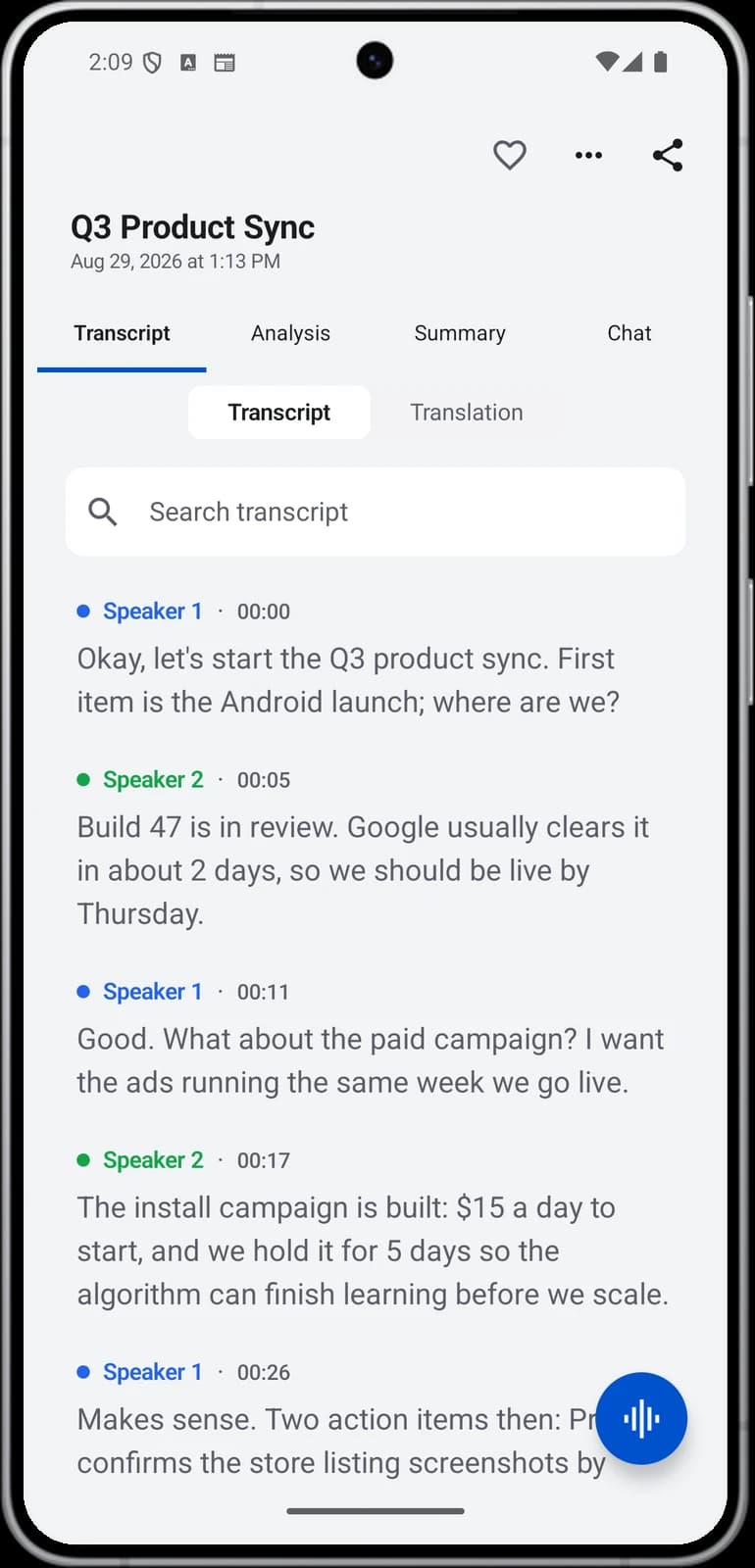
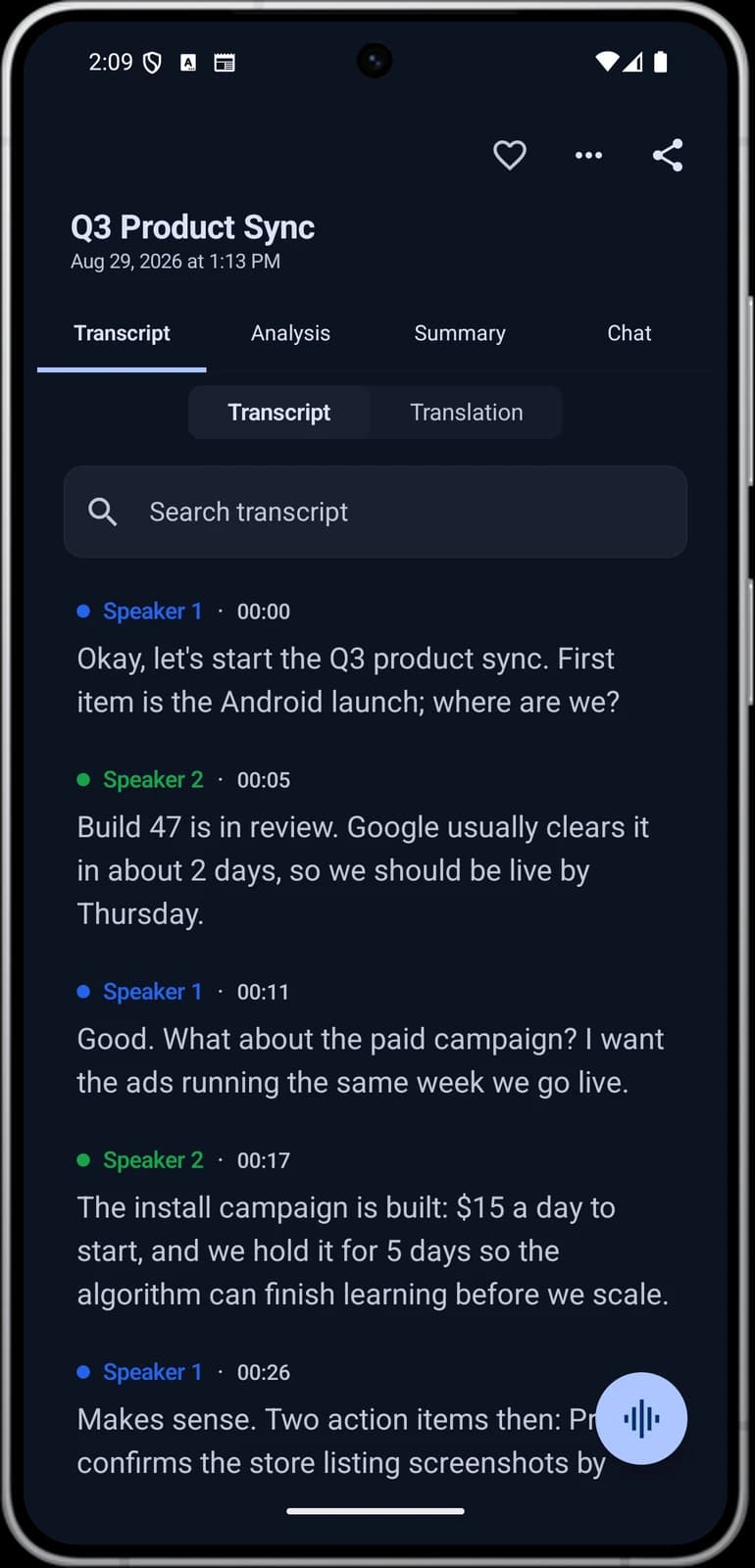
After the meeting, the note has a transcript with speaker labels and a timestamp on every line. You can rename the speakers and tap a line to hear that moment again. The note also has a summary and action items with assignees, including your own.
You can choose an output style. Minutes of meeting gives a formal record. Email gives a recap you can send. Custom instruction lets you describe your 1:1 format in plain words, such as check-in, their topics, feedback, growth and actions. Edit the result, then paste it into your running document.
Limits and honest notes
- Ask first, every time. Recording is your choice and the other person's. For sensitive talks, it is often better not to record.
- The note is a draft. The app can mishear a name, a date or who owns an action. Read it before you share it or add it to the running document.
- It only hears what is said. A worry shown in someone's face or tone will not be in the note. You still need to listen.
- The bot is visible. Some hosts keep guests in a waiting room until someone lets them in.
- There is no desktop app. You record on iPhone, iPad, Android or in the web app.
Frequently asked questions
How long should a one-on-one meeting be?
Most one-on-one meetings work well at 25 to 30 minutes, every week or every two weeks. The first 1:1 with a new person can run 45 to 60 minutes. If you record your 1:1s with consent, Noter AI turns a short meeting into a note with a summary and action items.
Who should set the agenda for a 1:1?
The team member should own the agenda and add their topics to a shared document before the meeting. The manager adds their own items at the end. This keeps the person's real concerns first. Noter AI can record the talk, with consent, so neither person has to type notes while listening.
What should a manager ask in a one-on-one?
Ask open questions about blockers, workload, feedback and growth. Good examples are "What is slowing you down right now?" and "What should I start or stop doing?". Pick one or two per theme. Noter AI keeps a transcript with speaker labels if you need to check what was said later.
What is a good structure for a one-on-one meeting?
A simple order is check-in, their topics, feedback both ways, growth, and actions with an owner and a date. Use the same order each time so the person knows what comes next. In Noter AI, the Custom instruction style can turn a recording into a note in that same order.
How do I take notes in a 1:1 without losing focus?
Keep one shared running document per person and write only main points, decisions and actions while you talk. Fill in the rest right after the meeting. If the other person agrees to be recorded, Noter AI gives you a draft note with a summary and action items to check and edit.
Should I record a one-on-one meeting?
Only if the other person clearly agrees. Explain what the recording is for, who can see it and how long you keep it, and accept a no. It is often better not to record personal or difficult talks. When you do record, Noter AI can capture the 1:1 in a room or on a video call.
How do I run a remote one-on-one?
Turn on your camera if you can, close chat and email, and keep the shared agenda open on screen. Pick a time inside working hours for both people. With consent, you can send the Noter AI bot to Zoom, Microsoft Teams, Google Meet or Webex, where it joins as a visible guest.
What should happen after a one-on-one meeting?
Do your own actions before the next 1:1, and copy any open actions into the next entry of the running document. Send a short recap if you agreed on something important. Noter AI lists action items with assignees after each recorded meeting, so the follow-up list is ready to check.
Let Noter AI take your meeting notes
Record, transcribe, and summarize meetings on iPhone, iPad & Android, or send a bot to Zoom, Teams, Meet, or Webex. In 60+ languages.

On your computer? Scan with your phone to get the app.
