

How to take meeting notes
Good meeting notes are short. They record what the group decided, who does what by when, and what is still open. They do not record every sentence. This guide shows what to write and what to skip, a simple format you can reuse, what to do right after the meeting, and how to take notes when you also have to speak.
By Yousef Updated
Before the meeting, copy the agenda items as headings. During the meeting, write only decisions, action items with an owner and a date, open questions, and key numbers. Skip word-for-word talk, small talk and the discussion that led to each decision. Within an hour, clean up the notes and share them with everyone who was there.
Before the meeting: build the skeleton
If you start with a blank page, you will try to write everything. If you start with a structure, you only fill in the gaps.
- 1Open the agenda. If there is none, ask the organiser for the goal of the meeting in one sentence. See how to write a meeting agenda if you are the organiser.
- 2Copy each agenda item as a heading. Keep the same order and the same words, so people can match the notes to the plan.
- 3Add the basics at the top. Meeting name, date, who attended and who took the notes.
- 4Leave four labels under each heading. Decided, Actions, Open, Numbers. You will fill only the ones that apply.
- 5Add an "Other topics" heading at the end. New subjects that come up go there, so they do not break your structure.
- 6Agree who takes the notes. One named person. If everyone thinks someone else is writing, nobody is.
Noter AI records, transcribes and summarizes your meetings on iPhone, iPad & Android, in 60+ languages.
During the meeting: what to write and what to skip
Write down results and leave out the conversation. A useful test: will someone need this line next week to do their job? If not, leave it out.
Write a decision as a full sentence that someone who was not there can understand. "Yes to option B" means nothing in a month. "The webinar moves from 5 November to 12 November" still makes sense later.
| Write this | Why | Skip this |
|---|---|---|
| Decisions, as full sentences | This is what people will check later | The back-and-forth that led to the decision |
| Action items with one owner and a date | A task with no name or date rarely gets done | Vague ideas like "someone should look at this" |
| Open questions, and who will answer them | They become the start of the next meeting | Questions that were answered on the spot |
| Key numbers: budgets, dates, targets, counts | Numbers are easy to forget and easy to get wrong | Numbers that were only guesses and then dropped |
| Risks or blockers someone raised | They explain why a date may move | Complaints with no action attached |
| Who attended and who was missing | Missing people need the notes most | Small talk, jokes, and who said what |
A simple note format you can reuse
This format fits most team meetings. Put it at the top of a new document before the meeting starts. For more layouts you can copy, see the meeting notes template.
| Part | What goes in it | Example line |
|---|---|---|
| Header | Meeting name, date, attendees, note-taker | Marketing weekly, 4 Nov, Sara, Omar, Lina. Notes: Lina |
| Agenda item heading | The item, in the agenda's words | 1. Webinar date |
| Decided | One full sentence per decision | Webinar moves to 12 November |
| Actions | Task, owner, due date | Update the sign-up page. Omar. 6 Nov |
| Open | Question, and who will answer it | Do we record the webinar for later? Sara to check |
| Numbers | Budgets, targets, counts | Target: 150 sign-ups |
| Other topics | New subjects raised in the meeting | Lina asked about a second speaker |
| Next meeting | Date, and items carried over | 11 Nov. Carry over: recording question |
Example: notes from a team meeting
The format filled in for a 30-minute meeting. The team, names, dates and numbers are made up.
Marketing team weekly, Tuesday 4 November, 30 minutes. Attended: Sara, Omar, Lina. Notes: Lina.
1. Webinar date. Decided: the customer webinar moves from 5 to 12 November, because the guest speaker is away on the 5th.
Action: update the date on the sign-up page and send a note to people already signed up. Owner: Omar. Due: 6 November.
Numbers: 64 sign-ups so far. Target: 150.
2. Newsletter. Decided: the November newsletter goes out on 10 November and leads with the webinar.
Action: write the newsletter draft. Owner: Lina. Due: 7 November.
Open: do we record the webinar and share it later? Sara to ask the speaker by 7 November.
Other topics: Omar raised that the ads budget is almost used. Sara will bring numbers next week.
Next meeting: 11 November. Carry over: the recording question and the ads budget.
Right after the meeting: clean up and share
Within an hour you still remember what a short phrase meant. By the next day, you may not.
- 1Clean up within the hour. Turn short phrases into full sentences. Fix names and dates.
- 2Check every action. Each one needs one owner and one date. If one is missing, ask the person now.
- 3Put a short summary at the top. Two or three lines for people who will read nothing else. See how to summarize a meeting.
- 4Share with everyone who attended, and anyone who missed it. Use the channel your team already reads, such as email or team chat.
- 5Ask for corrections. One line is enough: "Reply if anything is wrong or missing."
By hand, on a laptop, or by recording
Pick the method that fits the meeting and your role in it. The format above stays the same.
| Method | Good for | Weak point | Tip |
|---|---|---|---|
| Pen and paper | Small meetings, one-on-ones, rooms where a laptop feels rude | Must be typed up later, and handwriting is slow | Write only results. Type them up within the hour |
| Laptop or tablet | Fast typing, sharing straight after the meeting | Typing noise, and the screen can pull your attention away | Type into the prepared format, not a blank page |
| Recording plus written notes | Long meetings, fast talk, meetings where you must speak | You need everyone's consent, and someone must still check the result | Write only decisions and actions live. Use the recording to fill gaps |
How to take notes when you also have to speak
Running a meeting and writing notes at the same time is hard. These habits help.
- Ask someone else to take notes. This is the simplest fix. Rotate the job each week so it is fair.
- Write keywords only while you speak. A name, a date, a number. Fill in the sentence when someone else is talking.
- Read back at the end of each item. "So we decided X, and Omar does Y by Friday. Right?" This checks the notes and makes the decision clear to the room.
- Keep the last five minutes for actions. Go through every action and confirm the owner and date out loud.
- Record the meeting, if everyone agrees. Then you can focus on the talk and check the details afterwards.
Problems and fixes
The most common ways notes go wrong, and what to do instead.
| Problem | What happens | Fix |
|---|---|---|
| Trying to write everything | You fall behind and miss the decision itself | Write only decisions, actions, questions and numbers |
| Actions with no owner | Everyone assumes someone else will do it | Ask "who owns this?" before moving on |
| Actions with no date | The task slips from week to week | Ask "by when?" and write the date |
| Short phrases nobody understands later | Notes are useless after a few days | Clean up within an hour, in full sentences |
| Notes never shared | People who missed the meeting stay in the dark | Send them the same day, to attendees and absentees |
| No structure | Readers cannot find what they need | Use agenda items as headings |
| The note-taker cannot join the talk | Their ideas are lost | Rotate the role, or record the meeting with consent |
How Noter AI helps
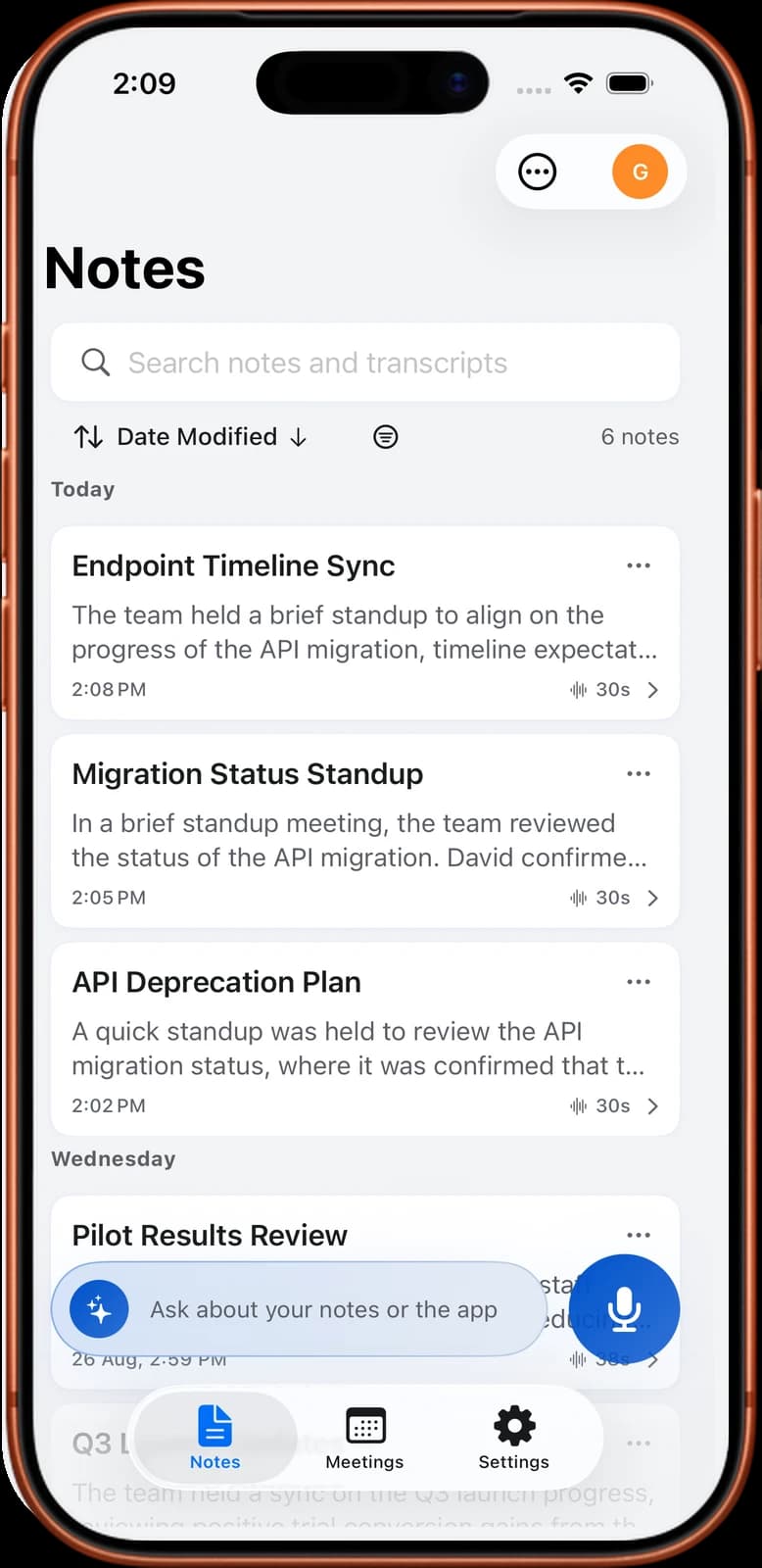
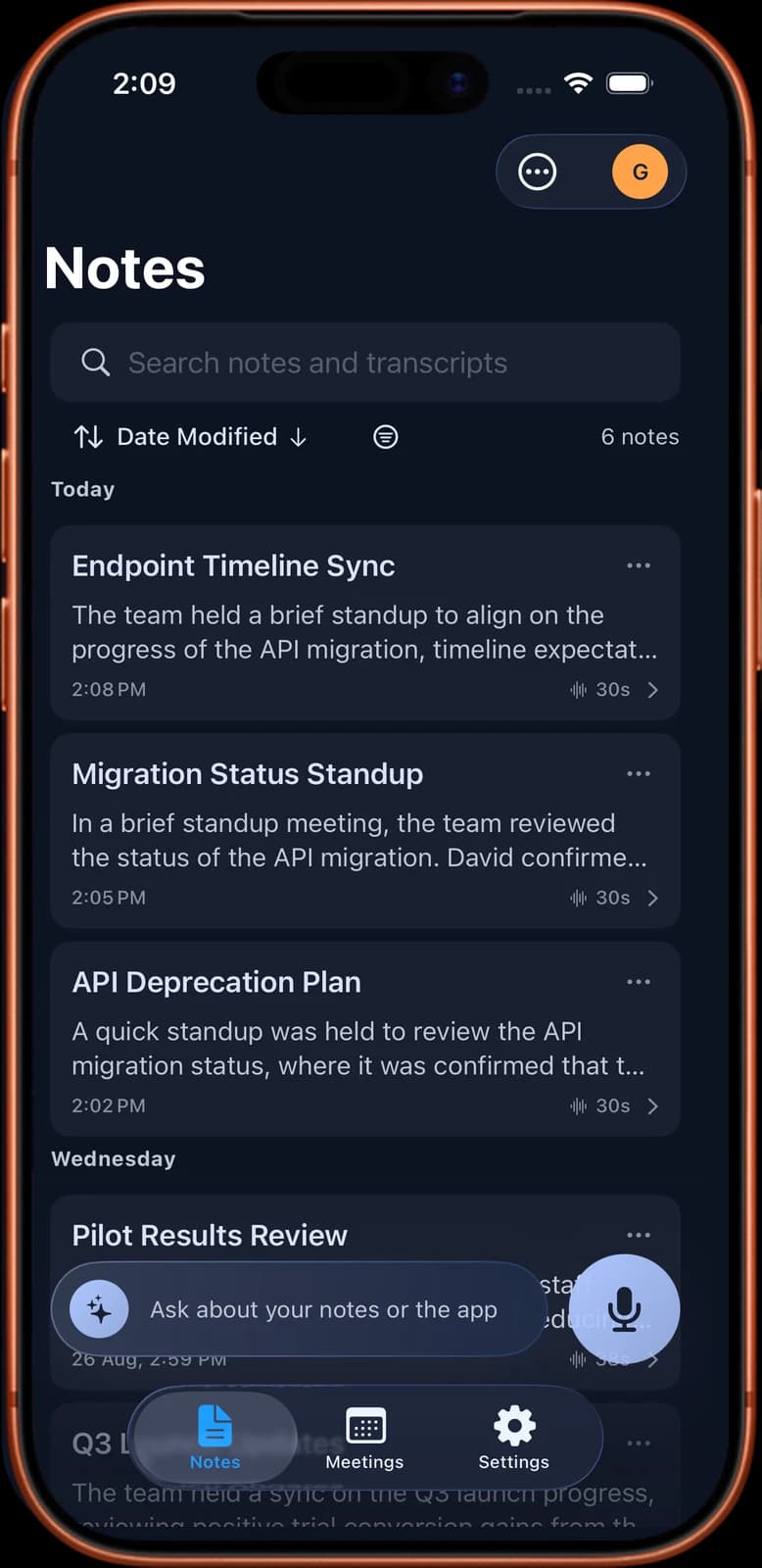
Noter AI records the meeting and writes the notes for you. It runs on iPhone, iPad and Android, and you can also read your notes in the web app.
There are two ways to capture a meeting. In a room, tap record in the app and put the phone on the table. A recording keeps going with the screen locked, for up to three hours. See in-person recording for details. For a video call, send the Noter AI bot to Zoom, Microsoft Teams, Google Meet or Webex. It joins as a visible guest. If you prefer no bot in the call, read how to take meeting notes without a bot.
When the meeting ends, a 1-hour recording takes about 2 minutes to process. The note has a transcript with speaker labels and a timestamp on every line. You can tap a line to hear that moment again, and rename speakers. Each note also has a summary, a detailed analysis, and action items with assignees.
You can also choose an output style. Minutes of meeting gives a formal record. Email gives a recap you can paste into a message. Custom instruction lets you describe your own format in plain words, such as the Decided, Actions, Open and Numbers layout from this guide. The same recording can go through more than one style. To know when you need minutes and when notes are enough, read meeting notes vs meeting minutes.
Limits and honest notes
- You still need to check the notes. The app can mishear a name, a number or an owner. Read the action items before you share them.
- It only knows what was said out loud. A decision made by a nod, or written on a whiteboard, will not be in the notes.
- Telling people is your job. Say at the start that you are recording. Laws differ by country.
- The bot is visible. Some hosts block guests or keep them in a waiting room until someone lets them in.
- It works from audio. It does not import video files or read slides shown in the meeting.
- There is no desktop app. You record on iPhone, iPad or Android.
Frequently asked questions
What should meeting notes include?
Meeting notes should include the meeting name, date and attendees, the decisions as full sentences, action items with one owner and a due date, open questions, and key numbers. Use the agenda items as headings. Noter AI can produce a summary and action items with assignees from a recording.
How do you take notes in a meeting without missing things?
Prepare a format before the meeting, with agenda items as headings. Write only decisions, actions, open questions and numbers, and skip the discussion. Read each decision back before the group moves on. If everyone agrees to be recorded, Noter AI keeps the full transcript so you can fill gaps later.
Should I write meeting notes word for word?
No. Word-for-word notes are slow to write and slow to read, and the decision gets lost in the talk. Write the results and leave out the talk. If you need the exact words, record the meeting with consent; Noter AI gives a transcript with speaker labels and timestamps.
Is it better to take meeting notes by hand or on a laptop?
By hand works well in small meetings and one-on-ones, but you must type the notes up later. A laptop is faster and makes sharing easy, but the screen can distract you. For long or fast meetings, some people record with Noter AI and write only decisions and actions live.
How soon should I send meeting notes?
Clean them up within an hour and send them the same day. People still remember the meeting, and actions start sooner. Send them to everyone who attended and anyone who missed it. Noter AI processes a 1-hour recording in about 2 minutes, so the draft is ready soon after the meeting.
How do I take notes when I am leading the meeting?
Ask someone else to take notes, or write only keywords while you speak and fill in sentences while others talk. Read back each decision and action before moving on. Recording the meeting with Noter AI lets you focus on the talk and check details afterwards.
Can Noter AI take meeting notes for an in-person meeting?
Yes. Tap record in Noter AI on an iPhone, iPad or Android phone and place it on the table. Each recording can run up to three hours, even with the screen locked. The note includes a transcript with speaker labels, a summary and action items with assignees.
Can Noter AI format notes the way my team likes?
Yes. Noter AI has output styles such as Minutes of meeting and Email, plus a Custom instruction style where you describe your format in plain words. For example, ask for decisions, actions with owners, and open questions under each agenda item. You can edit the result before sharing.
Let Noter AI take your meeting notes
Record, transcribe, and summarize meetings on iPhone, iPad & Android, or send a bot to Zoom, Teams, Meet, or Webex. In 60+ languages.

On your computer? Scan with your phone to get the app.
